AI Product Photography for Creative Studios Explained
AI product photography lets a creative studio generate on-model, ghost mannequin, packshot and lifestyle images from a flat lay or single product photo, then route them through normal client approval. Self-serve tools start at $7.50 a month for Photoroom Pro (billed yearly), $9 for Claid Essentials (billed yearly) and $15 per user for Caimera Mini, Adobe Photoshop with Firefly is $22.99 a month, and the managed platform Lumesa (formerly Flock AI) prices by quote. Amazon requires a metadata tag on photorealistic AI-generated people, Google Merchant Center requires AI metadata on every generated image, and the US Copyright Office says prompts alone do not make you the author. Keep a real shoot for images that make claims about fit, drape or colour and for campaigns built around real talent.
AI product photography for creative studios means generating on-model, ghost mannequin, packshot and lifestyle images from a flat lay or a single product photo, then putting those images through the same client approval a shoot would get. A studio can run it on self-serve tools such as Photoroom (Pro at $7.50 a month billed yearly), Claid (Essentials at $9 a month billed yearly) and Caimera (Mini at $15 per user per month), finish hero images by hand in Adobe Photoshop with Firefly ($22.99 a month), or hand the pipeline to a managed platform such as Lumesa, formerly Flock AI, which prices by quote. The software is the easy part. What decides whether a studio can bill for this work is who signs off, who owns the output, and whether the image needs an AI label on Amazon, Google Shopping or Meta.
This guide is written for studios and agencies producing imagery for clients, so it spends more time on approvals, usage rights and disclosure than on features. If you want a ranked comparison of tools, we already have two: the AI ecommerce photography round-up and the AI fashion photography round-up. The five tools below are examples of different operating models, in no ranked order.
Key takeaways
- Self-serve tools are cheap to start. Photoroom Pro is $7.50 a month billed yearly, Claid Essentials is $9 a month billed yearly and Caimera Mini is $15 per user per month. Managed platforms such as Lumesa publish no price.
- Amazon told sellers in July 2026 to tag images, videos and A+ content that contain photorealistic AI-generated people, CNBC reported. Google Merchant Center goes further and requires AI metadata on every generated image, with or without people.
- In the US, prompts alone do not make you the author of an image. The Copyright Office said so in its January 2025 copyrightability report. That matters for any client contract that promises to assign copyright.
- Vendor terms on ownership are thin. Claid answers the question in one FAQ line, Adobe says it depends on your jurisdiction, Caimera lists legal indemnification only on its Enterprise plan, and Lumesa's terms page is still an unfilled website template.
- A camera is still the right tool for images that make a factual claim about the product (fit, drape, color, scale) and for campaigns built around real talent.
What AI product photography covers
AI product photography is the use of generative models to produce finished product images from simple inputs, without building a set for the final frame. Studios use it for four kinds of output.
On-model images put a garment on an AI-generated model in a chosen pose. Ghost mannequin packshots show clothing as if worn, with the form hidden; Caimera's ghost mannequin tool takes a flat lay, a mannequin shot or a model photo as its starting point. Product-only images are the clean white or colored background shots that fill catalog grids. Lifestyle scenes drop a product into a staged environment that nobody had to travel to.
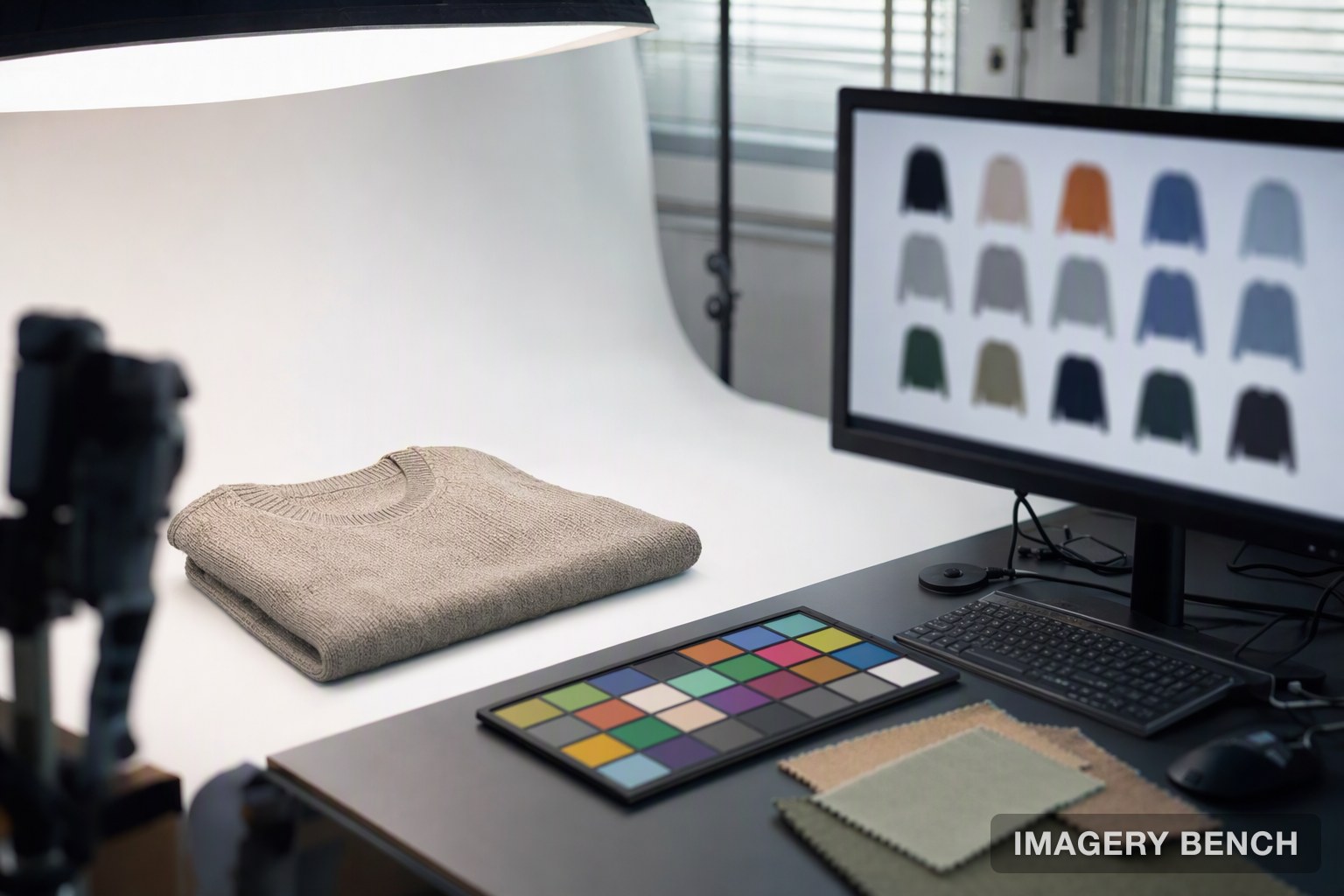
Something still gets photographed in every one of these. The input is a real picture of the real product, usually a flat lay or a quick packshot, so most studios keep a small capture station running even after they stop booking full shoot days.
Five tools, five operating models
The table below shows what each vendor publishes today. It is ordered from most hands-off to most hands-on.
| Tool | Operating model | What it is for | Published price (October 2026) |
|---|---|---|---|
| Lumesa (formerly Flock AI) | Managed service with human review | Brand-trained fashion imagery, AI models, virtual try-on, visual A/B testing | Not published; demo and quote |
| Caimera | Self-serve, with a full-service Enterprise tier | Fashion editorial and catalog images, ghost mannequin, video | Free 20 credits; Mini $15, Starter $45, Pro $117 per user per month; Enterprise from $1,500 |
| Claid | Self-serve web app and API | AI Photoshoot, AI Fashion, background and upscaling tools across categories | Free trial with 50 credits; Essentials $15 a month or $9 billed yearly; Pro $49 or $35 billed yearly |
| Photoroom | Self-serve app, web and API | Background removal, AI backgrounds, AI fashion models, batch editing | Pro $7.50, Max $20.99, Ultra $82.50 a month, all billed yearly; Enterprise custom |
| Adobe Photoshop with Firefly | Professional desktop editor | Hand-finished hero images with Generative Fill | $22.99 a month on the annual plan billed monthly, with 25 generative credits |
Sources: Caimera pricing, Claid pricing, Photoroom pricing, Adobe Photoshop and Lumesa.
How the pipeline works
Every setup has the same three stages, and the tools differ in who does each one.
Setting the visual standard
On a managed platform the vendor does this. Lumesa says it trains on a brand before producing anything, and its brand-trained visuals page lists four inputs: composition rules (angles, framing, crop ratios), styling language (how garments are tucked, layered and accessorized), model direction (pose, expression, hand placement) and color and lighting. An earlier draft of this article repeated a claim that Lumesa's models capture more than 200 visual attributes. We could not find that number anywhere on Lumesa's site, so it is not included here.
Self-serve tools have no training step in that sense. You get saved settings instead. Photoroom includes a Brand Kit on every paid plan. Claid's pricing FAQ says brand kits and batch processing come with its Pro and Business plans. Caimera includes "Custom Model & Poses" only from its Pro plan and charges 75 credits for a custom AI model. The consistency work lands on the studio, which is fine if the studio already has a retoucher who cares about it.
Generating the images
You upload the product input, choose a shot type and get images back. Batch features are where the hours come out. Photoroom, in a report on its own users, says a batch can cover 250 images at once.
Credits are the unit to watch. On Caimera a catalog image costs 10 credits and a ghost mannequin extraction costs 2, so the 120 credits on the Mini plan cover 12 catalog images. Claid charges 4 credits for a standard AI Photoshoot generation, which puts the Pro plan's 2,000 credits at 500 images, or 200 at what Claid calls Studio Quality (10 credits each).
Reviewing the output
Models get things wrong in ways a client will notice: a button count, a print that repeats differently from the sample, a logo redrawn slightly off. Lumesa describes "human oversight at every step" of its service. Photoroom sells an automated version of the idea on its Enterprise plan, called Enterprise Guarantee, where a fidelity model checks each output against agreed pass or fail criteria; its pricing page says this is limited to food and fashion businesses on annual Enterprise contracts. On every other plan from every other vendor here, review is your job.
Setting up a studio workflow
Most of the work happens before the first generation.
1. Write down the visual rules
Lighting direction and shadow style, background colors, crop and angle per shot type, casting and pose preferences, and how much fabric smoothing is acceptable. In most studios these live in a senior creative's head.
2. Build a reference library per client
Collect approved images across product categories, seasons and shot types. A managed vendor uses the library for training. On a self-serve tool it becomes your prompt and template source. Keep one library per client so one brand's look does not leak into another's.
3. Map shot types to product categories
Decide what gets a ghost mannequin packshot, what gets an on-model image and what gets a lifestyle scene. The map also shows you the bill, since credit costs differ by shot type.
4. Run a ten-SKU pilot
Pick ten products across at least three categories, generate each in its mapped shot type, and put the results beside a recent traditional shoot. Log every correction the reviewer makes. Ten is our suggestion, not a benchmark.
5. Put client approval in the same place it has always been
This is the step studios skip. Generated batches should go through the proofing round the client already knows, with two additions. The first is a check of each image against the physical sample for seams, hardware, print placement and color under neutral light. The second is a record, per image, of whether it contains an AI-generated person, which you will need for the disclosure rules below.
Some tools help with routing. Caimera includes team collaboration on every paid plan and "Portals" on two of them (one on Starter, three on Pro), and Photoroom allows up to 50 seats on its Pro, Max and Ultra plans. Lumesa says its dashboard lets teams "manage revision loops" and finalize variants in one place. We have not tested any of these against a real client approval chain, and a shared folder with a tracker still works.
Who owns the images? Licensing and usage rights
Short answer: you can almost always use the images commercially, but whether anyone holds copyright in them is a separate question, and the vendors mostly leave it to you.
On copyright itself, the US position is the clearest. The Copyright Office's Part 2 report on copyrightability, published in January 2025, concludes that "prompts alone do not provide sufficient human control to make users of an AI system the authors of the output". It also says copyright still protects the original expression a human contributes, even when the work includes AI-generated material. For a studio, that means a fully generated lifestyle scene may have no copyright to assign, while a composite built on your own photograph and retouched by hand is on firmer ground.
What each vendor says in public is uneven.
| Vendor | What it publishes about rights | What is missing |
|---|---|---|
| Adobe | Firefly models were trained on licensed content such as Adobe Stock and public domain content; outputs from non-beta Firefly features can be used commercially; copyright interest "will depend on your local jurisdiction" | Generative Fill now also offers partner models from Google and Black Forest Labs, and the training statement is about Firefly models only |
| Claid | Pricing FAQ: images generated using Claid "are not subject to copyright" | One sentence, with no detail on what the customer does own |
| Caimera | "Legal Indemnification for AI Content" listed on the Enterprise plan | Nothing equivalent listed on Mini, Starter or Pro |
| Photoroom | Pricing page covers plans and security (SOC 2 Type 2 on Enterprise) | No ownership statement on the pricing page; read the terms of use |
| Lumesa | Digital twins of real models are built with consent, and the models "retain ownership" and earn royalties | The terms and conditions page on its site is placeholder template text, so no public usage terms exist to read |
Adobe's wording deserves a second look. The Firefly FAQ says outputs from features without a beta label can go into commercial projects. The FAQ on the Generative Fill page says the feature is safe for commercial use and then, two sentences later, that content generated in the Photoshop app "may not be used for commercial purposes". That reads like leftover text from the beta period, but we cannot be sure. Check which model you are using before a client job.
Practical consequences for a contract: stop promising full copyright assignment on generated images unless your lawyer is comfortable with it, state which images are AI-generated, and say who carries the risk if a marketplace takes one down. None of this is legal advice.
AI-labelling and disclosure rules
Three platforms a studio's clients are likely to sell or advertise on now have written rules, and they do not match each other.
| Where | What triggers it | What you have to do | Source |
|---|---|---|---|
| Amazon listings | Photorealistic AI-generated people in images, videos or A+ content | Add a metadata keyword to the file before upload | Seller notice of 22 July 2026, as reported by CNBC |
| Google Merchant Center | Any image created with generative AI | Keep or add the IPTC DigitalSourceType tag (TrainedAlgorithmicMedia); use structured title and description attributes for AI-written text | Google's Merchant Center help |
| Meta ads | Images created or materially edited with Meta's own generative tools; third-party tools where Meta detects them | Nothing manual for most ads; Meta applies an "AI info" label | Meta help center and newsroom |
| New York State | A "synthetic performer" in an advertisement | Conspicuously disclose it in the ad | General Business Law section 396-b |
Amazon
Amazon's rule is narrow. It covers photorealistic AI-generated people and nothing else. According to CNBC, which saw the notice, sellers must tag images and A+ content with specific metadata keywords before upload, and the requirement does not apply to real people altered with AI or to characters from TV, films and video games. Amazon said it will "add an indicator" to listings "where applicable", without saying when that indicator shows.
We could not read the notice itself because it sits behind a Seller Central login. Trade coverage gives the keyword as contains-synthetic-performer, written to the file's dc:subject field; confirm the exact string in Seller Central before building it into an export preset. A product on an AI-generated background with no person in frame is outside this rule.
Google Merchant Center
Google is broader. Its AI-generated content policy says "all images created using generative AI must contain meta data indicating that the image was AI-generated", and tells merchants not to strip the embedded IPTC tags. Export presets that strip metadata to save file size will strip the tag too.
Meta
Meta's rules are in the middle of a change. Its help page on AI-generated images in ads says it labels ad images created or materially edited with its own generative features, and that the label moves next to "Sponsored" when the image includes an AI-generated photorealistic human. The same page still lists ads made with third-party tools as an example of images that will not get the label. A Meta newsroom post updated on 1 June 2026 says the company "will also begin automatically detecting ads created or edited using third-party AI tools through industry-standard signals". Assume a label can appear on client ads built with outside tools, and tell the client before it does.
The law behind it
New York's synthetic performer law (chapter 617 of 2025) was signed on 11 December 2025 and took effect on the 180th day after, which is 9 June 2026. The bill text sets a civil penalty of $1,000 for a first violation and $5,000 for each one after. The duty falls on a business that produces or creates an advertisement for its own goods or services and has actual knowledge of the synthetic performer. Whether a studio producing the ad for a client is also caught is a question for a lawyer, and either way the client will want the information from you. We did not review laws outside New York, including the EU AI Act's transparency provisions.
When a real shoot is still required
Packshots, ghost mannequin images, colorway and background variants are reasonable candidates for AI. We would still book a camera in four situations.
The first is any image that makes a factual claim. If a shopper will judge drape, stretch, sheerness or true color from the picture, a render is a guess. Lumesa says its try-on builds "a structural understanding of your garment from drape to stitch", and Caimera's own pricing FAQ includes the question "Will I get 100% accuracy on my products?". Test the claim on your hardest fabric before trusting either.
The second is campaign and lookbook work that defines the brand, where the creative director wants control of every decision on set.
Third, products the setup has never seen. A new category should go through a pilot before it goes through a deadline.
The fourth is anything built around real talent. Using a real model's likeness in generated images needs their consent and a usage agreement, the same as a shoot. Lumesa's digital twin offer is one version of this: a scan session, agreed terms, and royalties to the model on each use.
What it costs
Subscription prices are the visible part. A studio's real number is cost per approved image, which adds review and retouching time to the tool fee.
For the traditional side, published figures are scarce and mostly come from vendors with something to sell. Photoroom's report on product photography costs puts traditional product photography at $25 to $500 per image plus $150 to $300 per studio hour, and a half-day fashion shoot with a model and photographer at $500 to $2,000 before retouching. Photoroom does not source those ranges, so treat them as a vendor's estimate. The same report surveyed 1,356 paying Photoroom users and found the median time to a finished image fell from 15 minutes to under 5. That is self-reported by customers of the tool.
On the AI side, the arithmetic from published plans looks like this. Photoroom Pro gives 8,000 AI credits and 1,000 exports a month for $7.50 billed yearly, with 4K output reserved for Ultra. Claid Pro at $35 a month billed yearly works out to 7 cents per standard AI Photoshoot image if you spend all 2,000 credits that way. Caimera Pro at $117 covers up to 100 catalog images a month, or $1.17 each. Lumesa publishes no price. It claims "10x faster production" and "80% lower content costs" on its homepage, with no baseline or method given.
Per-image prices this low make review time the larger cost. A reviewer who spends ten minutes per image will cost more than any plan in the table.
Notes on each tool
Lumesa (formerly Flock AI)
Lumesa calls itself a managed AI visual imagery platform for fashion and retail, delivered as a white-glove service. Its capabilities are brand-trained visuals, AI-generated models (custom-built or digital twins of real models), virtual try-on and visual analytics with A/B testing. Its try-on page lists generation in under a minute and API integration with Shopify, BigCommerce and headless storefronts. The about page says it is trusted by over 100 brands. As Flock AI it announced a $6 million seed round led by Work-Bench, bringing total funding to $7.5 million.
What to consider:
- No public pricing and no self-serve tier, so a studio cannot trial it on one job.
- Its three case studies name no clients. The homepage claims a 20 to 30% conversion uplift, while its own luxury accessories case study reports 3%.
- The terms and conditions page is unfilled template text. Get usage rights and model-likeness terms in the contract.
- It is aimed at brands. A studio would be reselling or referring it, which changes who owns the client relationship.
Caimera
Caimera describes itself as an AI visual production platform for fashion teams, and the copyright line on its site names Bahaal Technologies Pvt. Ltd. Credits roll over while a subscription stays active.
What to consider:
- Catalog images are expensive in credits (10 each), so the cheap plans run out fast.
- Its site claims 20,000+ brands and headline case-study results such as "15x their sales"; we did not verify those.
- Indemnification is listed only on Enterprise, which starts at $1,500. API access and custom models start at Pro.
- It is built around fashion. Check category support before using it for hard goods.
Claid
Claid is a self-serve suite from Let's Enhance, Inc. with AI Photoshoot, AI Fashion, background removal, upscaling and video, plus a separately priced API. The free trial has 50 credits.
What to consider:
- Batch processing and brand kits are on Pro and Business, not Essentials.
- Essentials caps downloads at 64 megapixels and the top 4K resolution is reserved for higher plans.
Photoroom
Photoroom covers background removal, AI backgrounds, AI fashion models, a ghost mannequin tool and batch editing across mobile, web and API, with a Brand Kit on all paid plans.
What to consider:
- The low headline prices are for yearly billing.
- AI fashion models at 2K need Max and at 4K need Ultra. Pro is limited to 1K for that feature.
- Visual QA is marked as not included on Pro, Max and Ultra.
- Expect less fine control over a single frame than a desktop editor gives. That is our judgement from the feature list, not from a test.
Adobe Photoshop with Firefly
Photoshop's Generative Fill adds or removes content from a text prompt and places the result on a Generative Layer, so the original pixels stay untouched. It is the tool here that gives a designer the most control and the least throughput.
What to consider:
- The standalone plan includes 25 generative credits a month, which is not catalog volume.
- Partner models are now selectable inside Generative Fill, and they do not share Firefly's training story.
Metrics to track from the first pilot
Four numbers tell you whether the setup is working: days from product receipt to approved asset, cost per approved image including review time, the share of images that fail review and need regenerating, and any change in click-through or conversion measured in an A/B test against shot images. None of the vendor uplift figures quoted in this article come with a method we could inspect, so measure your own.
How we evaluated
We read each vendor's own website on 12 October 2026: product pages, pricing pages and, where they exist, FAQs and terms. Claid's plan prices were read from the pricing data its page loads. For the disclosure rules we used Google's and Meta's policy pages, New York's bill text, and CNBC's report of the Amazon seller notice. Two things from the draft this article started as were changed: a "200 visual attributes" claim about Lumesa was removed because its site does not make it, and the traditional shoot costs are now attributed to the vendor that published them. We did not run test generations, and we have no commercial ranking of these tools.
Limitations
- We did not test image quality, garment fidelity or turnaround on any tool. Everything about output is the vendor's description.
- Amazon's seller notice was not available to us directly. The scope and exclusions come from CNBC, and the metadata keyword comes from trade coverage.
- Meta's help page and its newsroom post disagree on third-party tools, and we do not know how consistently detection works.
- Adobe's US price and credit figure were read from its product page on one day and vary by region.
- Photoroom's monthly (not yearly) prices and Caimera's yearly prices are not quoted because we did not capture them reliably.
- The copyright discussion covers US Copyright Office guidance only. We are not lawyers.
Frequently asked questions
Do AI-generated product images need a label?
It depends on the platform and on whether a person appears. Amazon's rule applies to photorealistic AI-generated people, Google Merchant Center requires AI metadata on any generated image, and Meta applies its own label to ads.
Who owns the copyright in AI product photos?
Possibly nobody, for fully generated images in the US. The Copyright Office says prompts alone are not enough for authorship, while human-made elements stay protected. Check the tool's terms and write the client contract around usage rights instead of assuming assignment.
Can a studio white-label these tools for clients?
None of the five advertises a white-label product on the pages we read. Caimera lists "Portals" on its Starter and Pro plans, and Lumesa has a referral partner program. Ask each vendor what its terms allow before reselling output.
Does AI product photography work outside fashion?
Yes, with limits. Claid lists ecommerce, food, automotive, real estate and print-on-demand among its industries, and Photoroom lists beauty, furniture and food. Lumesa and Caimera are built for fashion.
What resolution can the images reach?
It varies by plan. Photoroom reserves 4K for Ultra. Caimera lists 4K generation on Mini and above, at a higher credit cost. Claid says paid plans include 2K, with 4K on higher tiers.
Conclusion
Start with the shot list before choosing software. Sort each image into repeatable or brand-defining, move the repeatable ones to AI first, and keep the camera for the rest. Then fix the three things clients will ask about: who approved it, who owns it, and whether it needs a label. If a client's catalog also needs rotatable 3D or AR assets, that is a different category, covered in our overview of product visualization tools for 3D, AR and AI imagery.
Pricing, features, policies and company claims in this guide come from each provider's and platform's published information as of October 2026. Performance figures attributed to vendors are their own claims and have not been independently verified. Plans and platform rules change often, so confirm current terms directly before you commit.
How we built this guide: we read each tool's published features, pricing, terms and stated limitations, and each platform's own policy pages. Lumesa rebranded from Flock AI, so the two names refer to the same company. Last reviewed: October 12, 2026.
Last verified: 2026-10-12
Sources
- CNBC | Amazon makes sellers label AI-generated people in images after NY law
- Google Merchant Center Help | AI-generated content
- Meta Help Centre | How AI-generated images in ads are identified and labelled on Meta
- Meta Newsroom | Expanding GenAI Transparency for Meta's Ads Products
- New York State Assembly | Bill S08420-A, synthetic performer disclosure in advertisements (chapter 617 of 2025)
- U.S. Copyright Office | Copyright and Artificial Intelligence, Part 2: Copyrightability
- Lumesa | Managed AI visual imagery platform for fashion and retail
- Lumesa | Brand-trained visuals
- Caimera | Pricing
- Caimera | AI Ghost Mannequin / Flat Lay
- Claid.ai | Pricing
- Photoroom | Plans and pricing
- Photoroom | The Hidden Cost of Product Photography for SMBs
- Adobe | Firefly FAQ